Your whole day, one glance
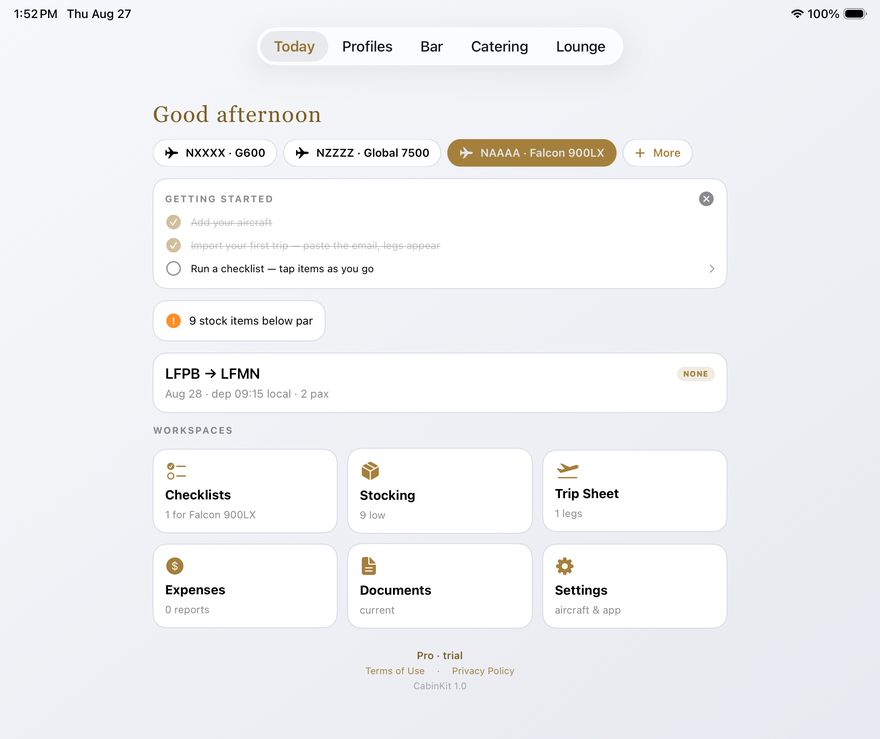
Today opens on what matters right now: tap an aircraft chip to switch tails and the checklists, stocking, and trip follow instantly. An attention line flags anything below par before it becomes a problem, and your next leg sits right underneath with departure time and pax count.
- One-tap aircraft switching across your whole fleet
- Stock alerts the moment something drops below par
- Workspace tiles for Checklists, Stocking, Trip Sheet, Expenses, Documents, and Settings — each showing its live status
Trips that build themselves
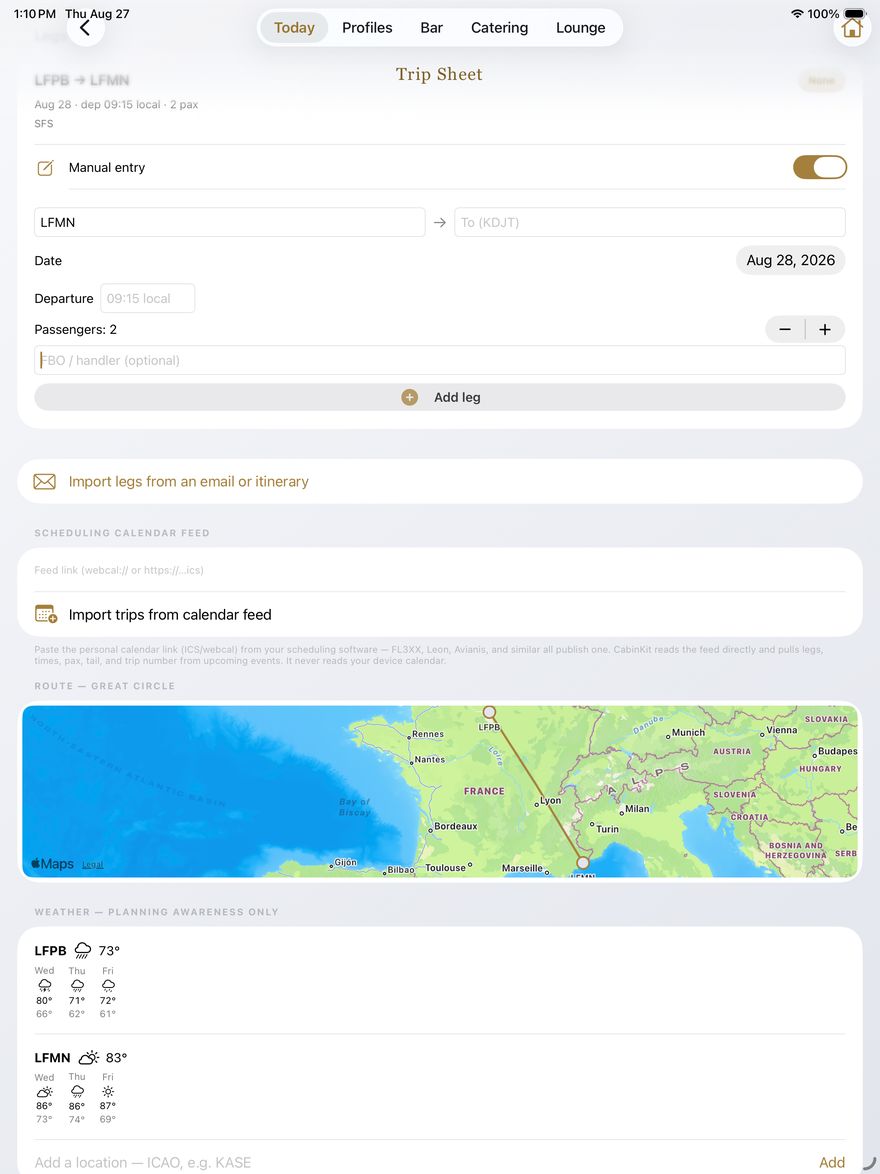
Paste the trip email and the legs, times, pax counts, and FBOs are detected on your device — passenger names never import, only counts. Connect your scheduling software's calendar feed once and upcoming trips arrive with one tap, tail and trip number included. No email? Flip on manual entry and chain legs by hand.
- Route map with great-circle legs, drawn automatically
- Three-day weather at every stop — planning awareness at a glance
- A complete worldwide airport database built in: 17,500+ fields, offline
- Catering status per leg, with automatic recheck flags when the schedule moves
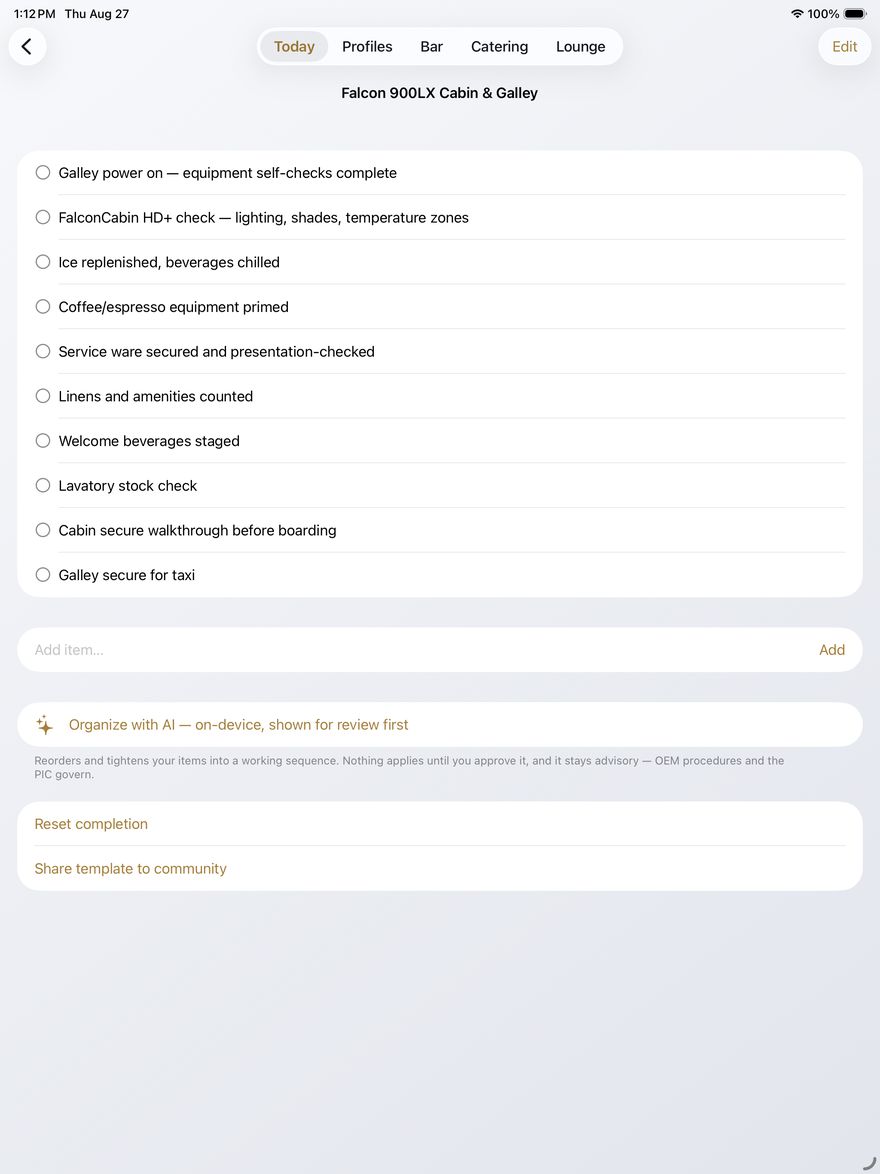
Your aircraft's language, your sequence
Every type ships with a starter cabin & galley template that speaks its manufacturer's terms — GCMS on a Gulfstream, FalconCabin HD+ on a Falcon, CMS on a Global. Rename, reorder, add, and delete everything; on-device AI can tighten your items into a working sequence, always shown for your review first.
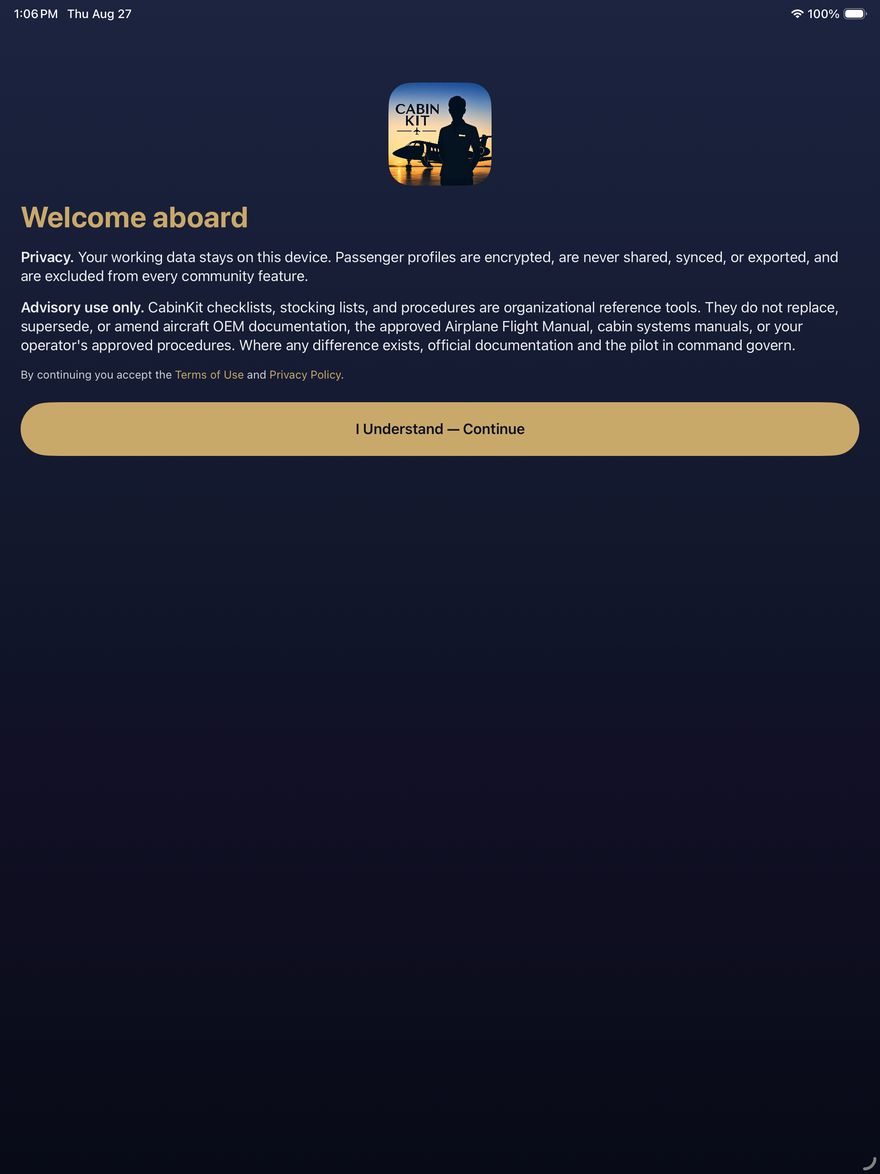
Checklists are organizational aids only — OEM manuals, the AFM, operator procedures, and the PIC always govern, and the app says so on its front door.
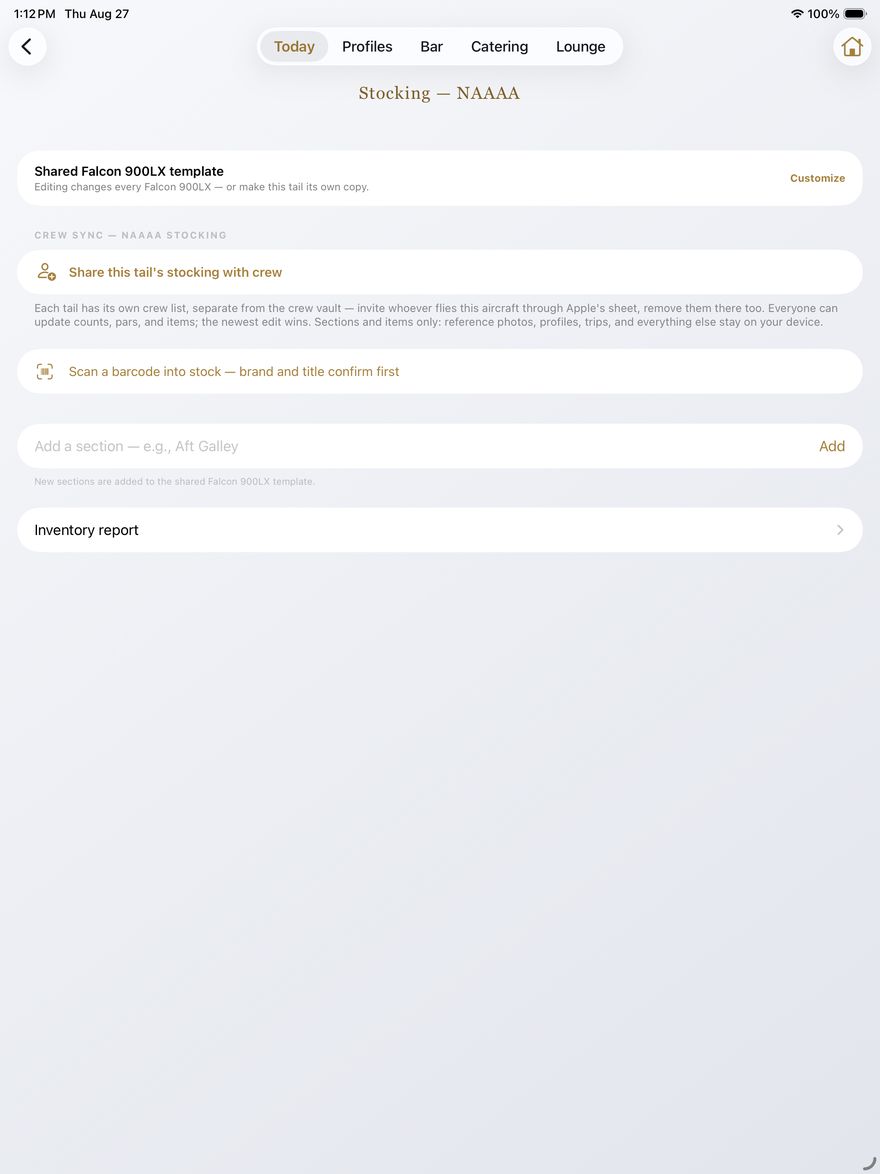
One par list per tail — shared with your crew
Templates per aircraft type, customized per tail. Counts, pars, brands, and sizes on every item; barcode scanning fills in the product for you; the status report exports as a clean, named PDF with your trip number and aircraft type in the header.
Fly the same tail as someone else? Share that tail's stocking (Pro): each aircraft gets its own invite list through Apple's sharing sheet, everyone updates counts, and the newest edit wins — end-to-end encrypted, stocking data only.
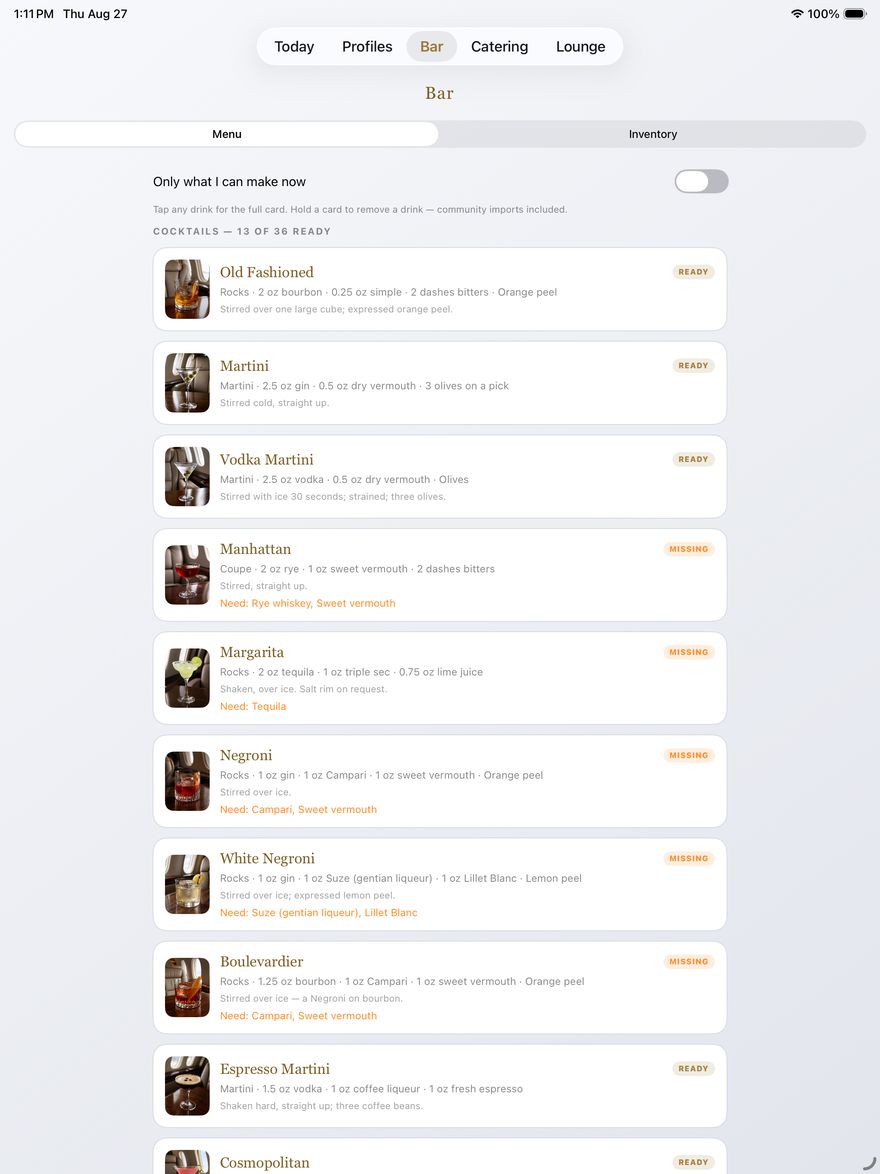
A menu computed from what's on board
Flip what's stocked in the inventory and the menu does the math: READY drinks you can pour right now, MISSING shows exactly what to buy to unlock the rest. Fifty-plus classic, zero-proof, and coffee & tea serves with photos, specs, and method — plus whatever the community shares.
- "Only what I can make now" filter for mid-flight reality
- Scan a bottle and the product database identifies it
- Sort the back bar A–Z, by recent use, available first, or missing first
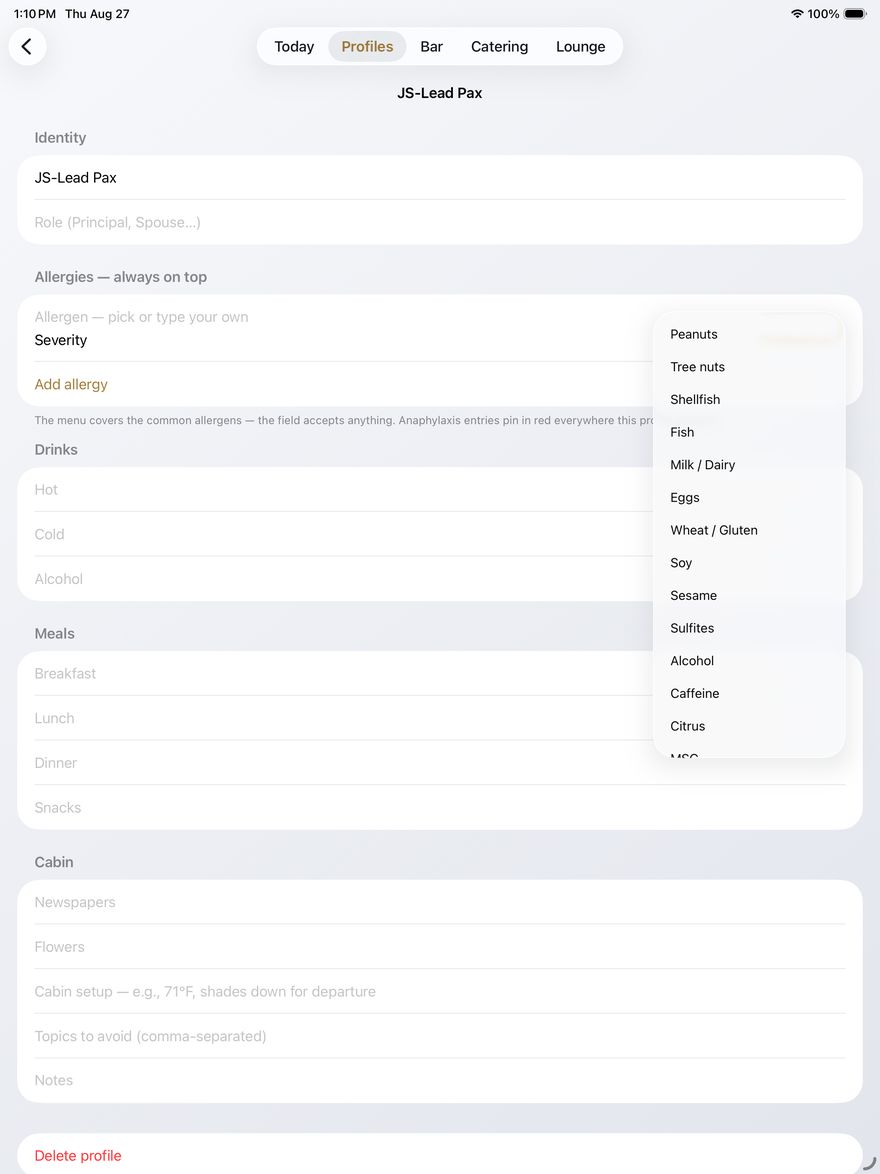
Preferences without the exposure
Code names only — the app warns if an entry looks like a real name. Drinks, meals, cabin setup, topics to avoid, and allergies with a four-level severity scale; anaphylaxis pins in red everywhere that profile appears.
Profiles live behind Face ID, encrypted on your device, with no share or export function of any kind — by design. The optional crew vault (Pro) syncs profiles between the keyholders you invite, end-to-end encrypted through iCloud; remove a keyholder and their access ends immediately, enforced by Apple's servers.
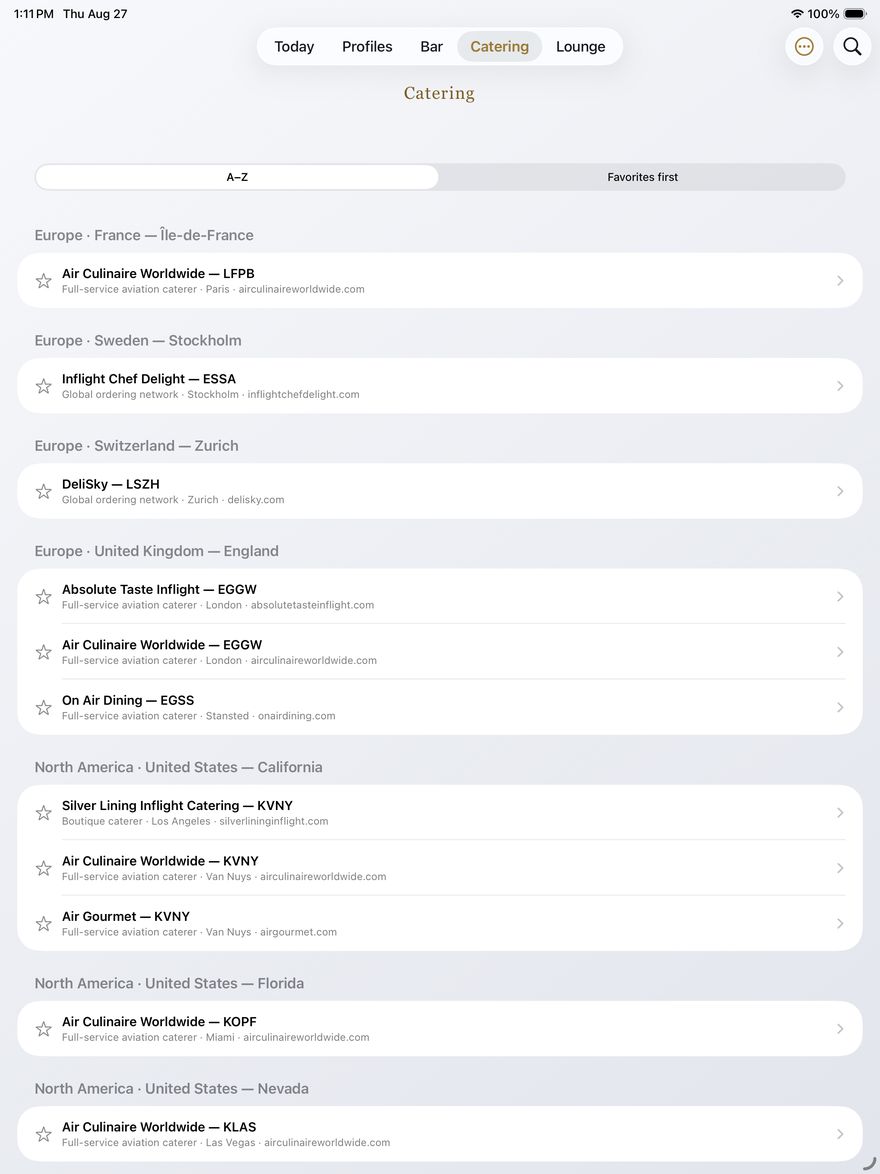
The caterers crews actually use
A community-built directory of aviation caterers, hotels, and restaurants, organized the way crews think — continent, country, state, city — under the airports they serve. Tap the star to keep your favorites on top. Add a vendor with just its ICAO and the app fills in the geography.
No vendor pays for placement, ranking, or endorsement — ever. Listings exist because a working crew member found them worth sharing.
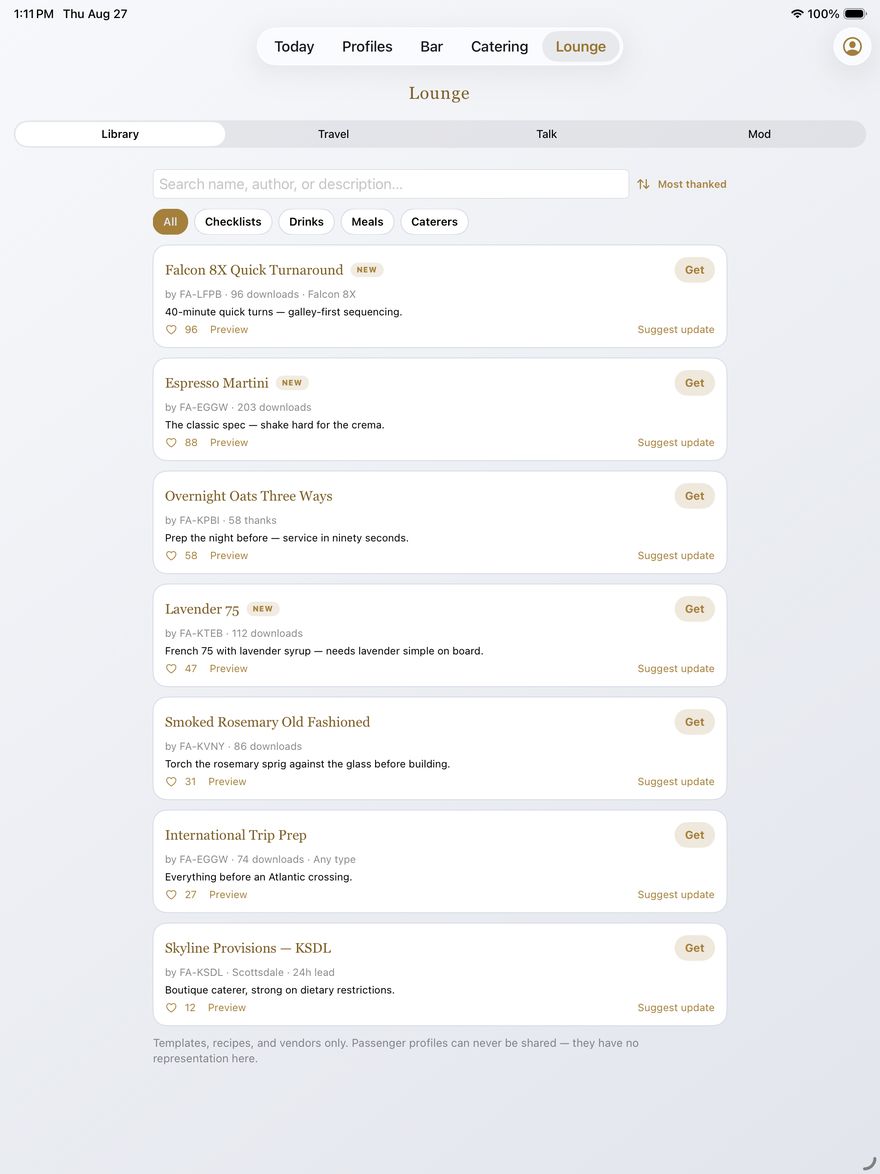
A professional community, properly run
Vetted checklists, drink recipes, meal templates, and caterer listings from working crews — every Library submission is reviewed before it publishes. Talk posts go up under pseudonymous handles with client-identifier and language screens built in; reports are actioned within 24 hours.
Passenger profiles have no representation in the community. They can't be shared, so they aren't.
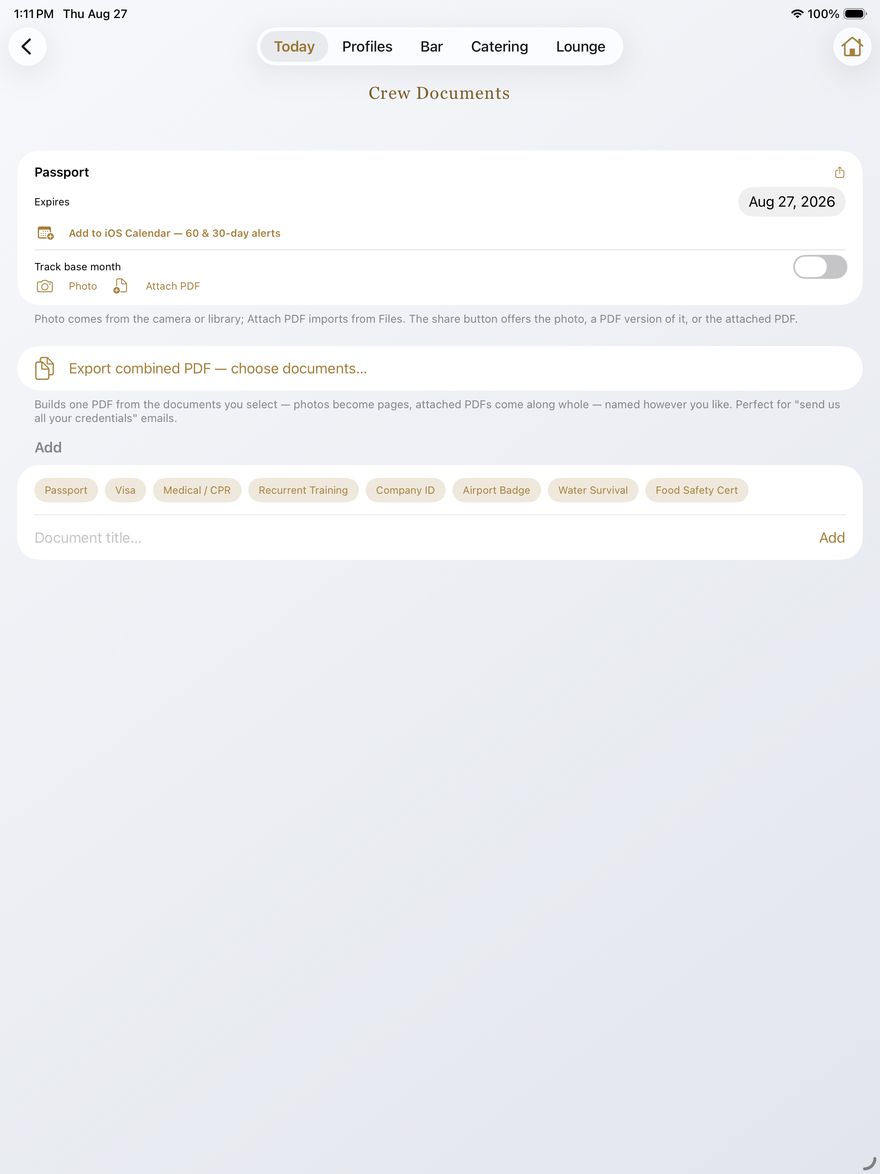
Credentials, current and ready to send
Passport, visas, medical, training, badges — photograph them or attach PDFs, track expirations and base months with grace windows, and push 60- and 30-day reminders to your calendar through write-only access (CabinKit can never read your calendar).
When someone says "send us all your credentials," build one combined, named PDF from exactly the documents you select. Expense reports work the same way: receipts attach to each expense and ride along at the end of the exported PDF.
Simple pricing
Pick a tier and try it free for a full week. Nothing is charged until the trial ends, switching tiers is instant, and billing and cancellation live in your Apple ID — never with us.
Essentials
- Checklists, stocking, bar, trips & docs
- Private profiles behind Face ID
- Browse & import from the community
Pro
- Everything in Essentials
- Crew vault sharing & crew sync
- Shared per-tail stocking
- Share to the community under your handle
Annual saves up to 33%. Your card is not charged until the free trial ends — cancel any time before then and pay nothing. Prices in USD; local pricing set by Apple.

E6B Max: Flight Computer
A photorealistic E6B with a hand-turnable dial — plus a nav log with auto-populated winds aloft and PDF export, weight & balance with CG envelope plotting, live METARs and TAFs on a moving map, crosswind and PAVE risk tools, and an instrument panel simulator. Built with the same rule as CabinKit: no accounts, no ads, no tracking.
$9.99 one-time — no subscription. Available now.
Support
Questions, feature requests, or trouble with the app? Email inquiry@flyrightconsulting.com — we usually reply within one business day.
Subscriptions are billed through your Apple ID; manage or cancel any time in Settings → Apple ID → Subscriptions.
Legal
CabinKit's checklists and references are organizational aids only — OEM manuals, the AFM, operator procedures, and the pilot in command always govern. Apple, iPhone, iPad, Face ID, and iCloud are trademarks of Apple Inc.